Put Every Call
To Work With
AI ANALYST

The AI Call Analyst transcribes every call automatically and tells you what happened, so your team doesn't have to listen.

AI Call Analyst


Every call transcribed automatically. Every answer ready to read.

/
AI Call Analyst


What is the AI Call Analyst?

The AI Call Analyst takes the heavy lifting out of managing your conversations. Instead of spending hours listening back to recordings and typing up notes by hand, you get a digital assistant that transcribes every call automatically, analyzes what was said, and tells you what happened on each one.

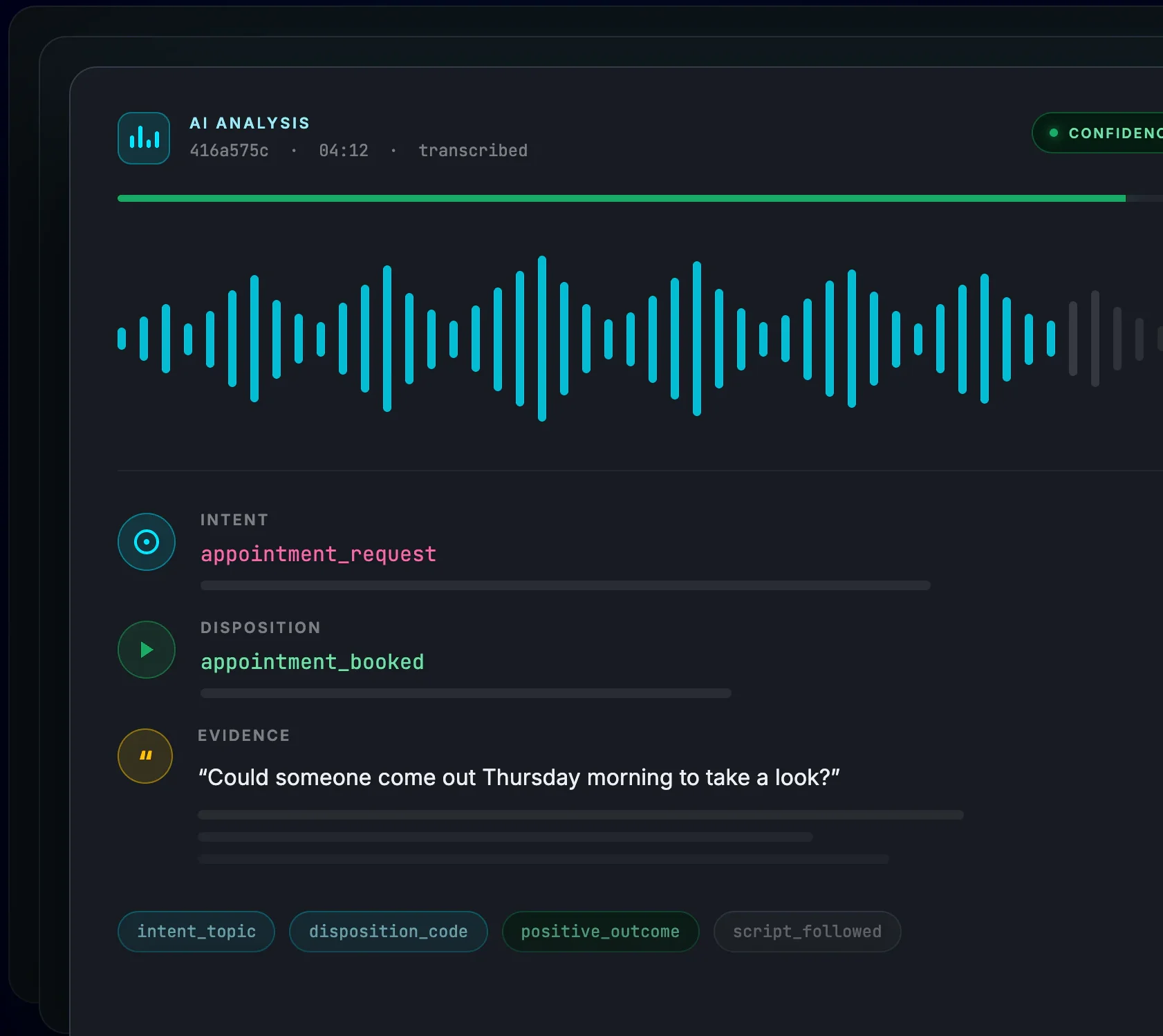
Every analyzed call comes back with the caller's intent (what they actually wanted) and the call's disposition (how it ended). Both are backed by evidence quoted directly from the transcript, so you can trust the answer without replaying the audio.

You can also prompt it yourself. Ask questions like "What was the customer's biggest concern?" or "Did the agent follow the script?" and get an answer on every call the analyst touches.

Automatic transcription on every call

Transcription is the foundation of everything else. Turn the analyst on and every call it touches is transcribed automatically, with no uploads, no third-party speech service to wire up, and no one on your team pressing play. The full text lands on the call record alongside the recording, ready to read, search, and report on.

You stay in control of how much gets transcribed. Choose the full call, the first few minutes, or the last few minutes, and let volume caps and filters decide which calls qualify. Everything the analyst tells you afterward is drawn from that transcript, so you can always trace an answer back to the words that produced it.


Select calls in the call log, choose how much of each call to transcribe, and analyze them on the spot.


Automatic Transcription

Every call the analyst touches is transcribed automatically: the full call, or just the first or last minutes you choose.

Intent Analysis
Intent Analysis

See what the caller wanted, whether that's a quote, an appointment, or support, with evidence pulled straight from the transcript.

Disposition Analysis

Know how every call ended: appointment booked, sale completed, early hangup, or a transfer that never happened.

What the analyst tells you about every call

/
Intent & Disposition


Disposition analysis on a Retreaver call, showing the outcome and supporting transcript evidence
Disposition analysis on a single call: the outcome, the reasoning, and the transcript evidence behind it.


Intent: what the caller wanted

The analyst detects each caller's primary intent, whether that's a product or service inquiry, an appointment request, a support question, or a quote request, then summarizes it in a sentence you can scan in your call log.

Every intent comes with supporting evidence pulled directly from the transcript, so you can see exactly which part of the conversation the answer came from rather than taking the label on faith.

Disposition: how the call ended

Disposition analysis determines the outcome of the call: an appointment booked, a qualified lead, a completed sale, a positive outcome, a hangup or early termination, or whether a transfer was attempted at all.

Tagging outcomes this way lets you measure performance on results instead of call volume and duration. A long call that ended in a hangup and a short call that booked an appointment stop looking the same in your reports.

Custom prompts: your own questions

Beyond intent and disposition, you can add your own questions and have them answered on every analyzed call. Teams commonly ask whether the agent followed the required script, whether the caller sounded frustrated, whether the caller confirmed eligibility, or whether an appointment was actually scheduled.

Custom prompts run on one-off analysis and on automatic campaign, publisher, buyer, and buyer group analysis alike. Their answers are written to the call as tags, which means anything you ask becomes something you can filter and report on.

New to Retreaver Call Tracking?
Get Started
See more
Launch Your First
Campaign

Create an account and start your first campaign today! Follow our guide on "How to create your first call tracking campaign".

Automate it everywhere, or run it on demand

Turn on automatic analysis where it matters, sample where it doesn't, and keep full control of your spend.
/
Your Calls, Your Rules


Analyze selected calls on demand

Open your Call Log, filter down to the calls you care about (receivable calls only, for instance), then click AI Analyst, choose how much of each call to transcribe, and analyze. It's the fastest way to run an audit, sample calls for QA, or try the analyst out before turning on automatic analysis.

Or enable it where your calls come from

Enable the analyst on a campaign and every call routed through it can be analyzed automatically, hands-free. It can also be scoped to a single publisher to measure a traffic source, to a buyer to see what's happening on calls you're selling, or to a buyer group to compare a set of buyers against each other.

That makes lead quality comparable across partners on the same terms: not on gut feel or call duration, but on what callers asked for and how those calls ended.

Control the volume and the cost

Transcription is the expensive part of analysis, so you decide how much of each call to transcribe: the full call, the first few minutes, or the last few minutes. We recommend transcribing enough to capture both the intent and the outcome, often around 15 minutes or more, since the analysis is only as good as what it can hear.

Volume caps limit how many calls get analyzed per hour, per day, or per month, so you can sample traffic rather than analyze all of it. Filters narrow the scope further: analyze only receivable calls, only completed calls, or only calls carrying specific tags.

    Campaign-level automation

    Analyze every call entering a campaign, hands-free.

    Publisher & buyer scoping

    Compare lead quality and performance across partners.

    Analysis filters

    Only analyze receivable calls, completed calls, or calls matching specific tags.

    Volume caps

    Cap analyzed calls per hour, day, or month to sample instead of analyzing everything.

    Automatic transcription

    Qualifying calls are transcribed for you: the full call, the first X minutes, or the last X minutes.

    One-off analysis

    Run the analyst on filtered calls straight from the call log.

Results land right in your call log

No new dashboard to learn. Analyzed calls carry their results with them, everywhere you already look at calls.
/
Viewing Results


Review a call without listening to it

Once a call is transcribed and analyzed, it carries the full transcript, a confidence score, an intent analysis section, and a disposition analysis section. Reviewing what happened becomes reading rather than listening, which is the difference between auditing a handful of calls a week and auditing all of them.

Turn your call log into an intelligence dashboard

The analyst writes structured tags onto each call for the intent topic, the disposition code, and a positive-outcome flag, alongside the answers to any custom prompts you configured. Because these are ordinary Retreaver tags, everything you already do with tags works on them.

Show only the calls where an appointment was set. Pull every negative outcome that needs a human review. Compare intent types across campaigns to see which messaging attracts which callers. Identify the publisher whose traffic sounds fine on paper but never converts.

Trigger workflows when analysis finishes

Analysis completes after the call does, so a normal end-of-call webhook would fire too early to include it. The After AI Analysis webhook trigger solves that: it fires once a call's analysis is finished, which is the right moment to push enriched results into a CRM, alert a Slack channel, or kick off follow-up automation.

Replacement tokens give you the analysis in the payload: the disposition summary, stage reached, disposition code, loss reason, termination reason, and transfer outcome, plus the intent's primary topic and summary. Any custom prompt tag can be used the same way.

Built for high-stakes calls

Wherever compliance and lead quality decide profitability, the AI Analyst pays for itself.
/
Vertical Use Cases


Medicare & Insurance

Detect enrollment and appointment outcomes, monitor compliance scripts with custom prompts like "Did the agent follow the required Medicare script?", and flag negative outcomes without manual QA.

Home Services

Track booked jobs versus missed calls, surface high-intent quote requests with prompts like "Did the caller request same-day availability?", and compare close rates across traffic sources.

Pay Per Call Networks

Score publisher traffic on real outcomes instead of raw duration. Filter by AI tags to find low-quality sources and negative dispositions before they reach your buyers.

AI Call Analyst FAQs

/
Common Questions


The AI Call Analyst automatically transcribes your Retreaver calls and analyzes them. For each analyzed call it produces a full transcript, a summary, the caller's intent with supporting evidence, the call's disposition, a confidence score, and answers to any custom questions you configure.

Yes. Transcription happens automatically on every call the analyst runs on, with nothing to upload and no separate speech service to set up. Transcripts land on the call record next to the recording, and you choose whether to transcribe the full call, the first X minutes, or the last X minutes.

AI Analyst is billed per minute of transcription. Pricing is usage-based, so you only pay for the calls you analyze, and volume caps and filters let you control spend precisely.

No. You can enable automatic analysis per campaign, publisher, buyer, or buyer group, narrow it with filters such as receivable-only or tag-based rules, cap analyzed calls per hour, day, or month, and choose how much of each call to transcribe. You can also run one-off analysis on selected calls from the call log.

Enough to capture both what the caller wanted and how the call ended. We recommend around 15 minutes or more for most calls, since the analysis is only as accurate as the portion of the conversation it can hear. You can transcribe the full call, the first X minutes, or the last X minutes.

Yes. Custom AI prompts let you extract exactly what you need: whether the agent followed a script, whether the caller confirmed eligibility, or whether an appointment was scheduled. Answers are written to calls as tags you can filter and report on.

Everything lands on the call itself. Open an analyzed call in your call log to see its summary, confidence score, intent analysis, disposition analysis, and full transcript. Intent topics, disposition codes, and positive-outcome flags are also written as tags, so you can filter and report on them like any other call data.

Yes. The After AI Analysis webhook trigger fires once a call's AI analysis completes, so you can push summaries, dispositions, intent topics, and custom prompt answers into your CRM, Slack, or any external system using replacement tokens.