All of Retreaver's power, one request away
Campaigns, buyers, caps, routing, webhooks. Everything you can configure, your assistant can now configure for you. Describe the goal in plain English; it does the setup and reports back.
/
In Use
Stand up a buyer end to end
Add a Buyer called Sunrise Insurance to the Auto Insurance campaign, cap it at 50 concurrent calls, route callers from California and Oregon to it, and point its webhook at our CRM.Diagnose a caller list
Have there been any calls to the numbers I uploaded to the Suppressed list this morning? Show me if there've been such calls.Summarize performance
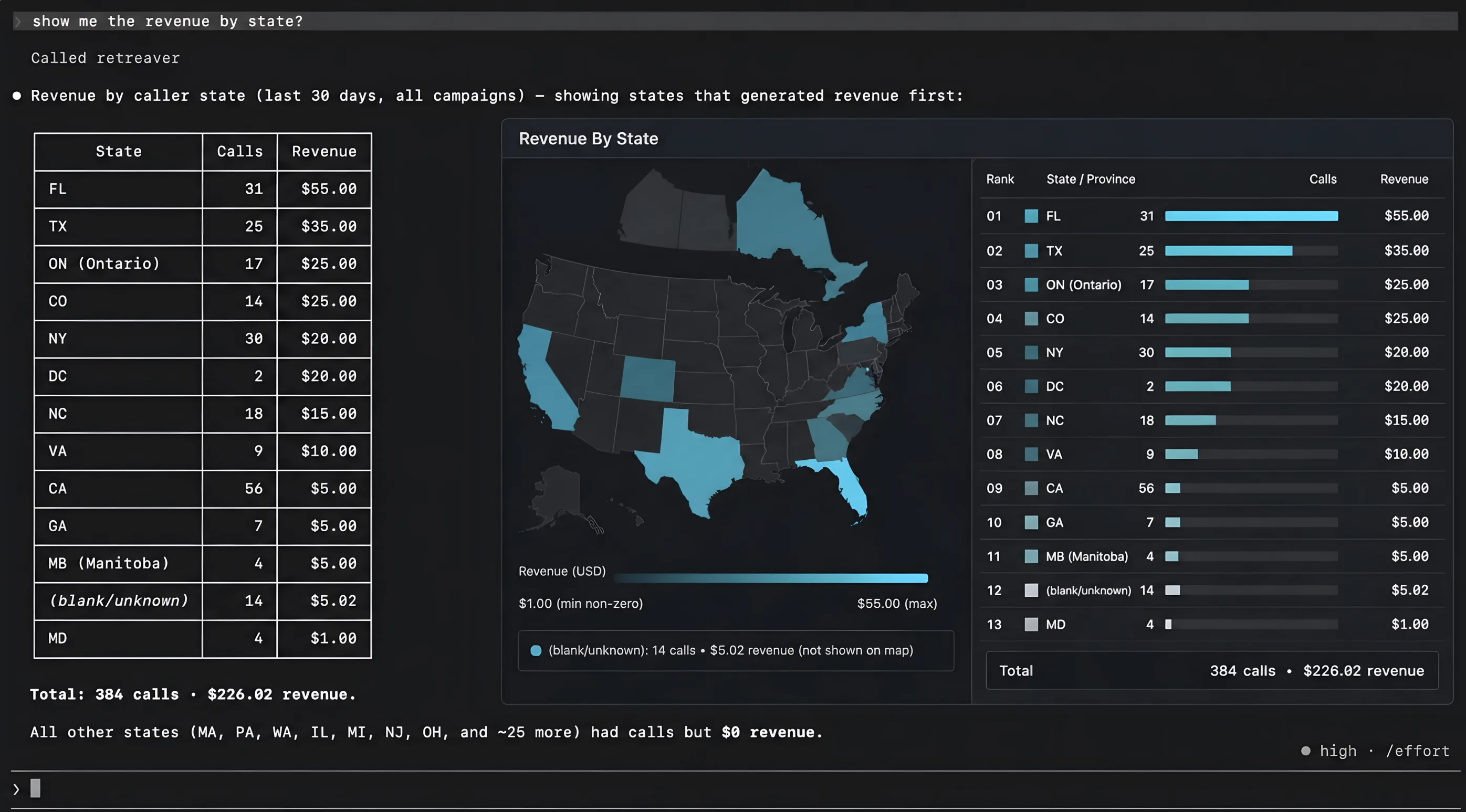
How many converted calls did the Auto Insurance campaign get yesterday, broken down by Buyer?/ What it can reach
Campaigns
Buyers & Buyer Groups
Caps & cap resets
Publishers
Numbers & Number Pools
Caller Lists
Tags & Prompts
Conversion Groups
Postback Keys
Webhooks & test fires
Call reporting (read-only)
One company. One access level. Both chosen by you.
You sign in as yourself and approve read-only or read-and-manage. The connection is locked to the company you're signed into. The client receives a short-lived token automatically — no key to copy, and the grant expires on its own.
/
Access

-
mcp:basicIntrospection only
Confirm the connected company and role, and search the tool catalog. No account data is read or changed. Every connection has this. -
mcp:operations:readRead your setup
View campaigns, buyers, publishers, numbers, caller lists, tags, prompts, webhooks, and their routing settings. Nothing is modified. -
mcp:operations:manageRead and change
Add a buyer, change a cap, adjust routing, configure a webhook, upload a caller list. The level that actually changes your account.
An assistant can never reach a company you aren't a member of, or switch companies mid-conversation.
Grants lapse on their own, so a stale connection stops working rather than lingering.

Route Your First Call Today
Create an account and launch your first campaign in minutes.